

Appearance
Email Notifications
The Email Notifications feature in FluentCart allows you to manage and configure the various automated emails sent from your store. These notifications are crucial for both keeping your customers informed about their orders and purchases, and for providing administrators with timely updates on store activity.
Accessing Email Notifications
From your WordPress dashboard, navigate to FluentCart Pro > Settings in the left sidebar.
Click on the "Email Notifications" tab.
Managing Notification Settings
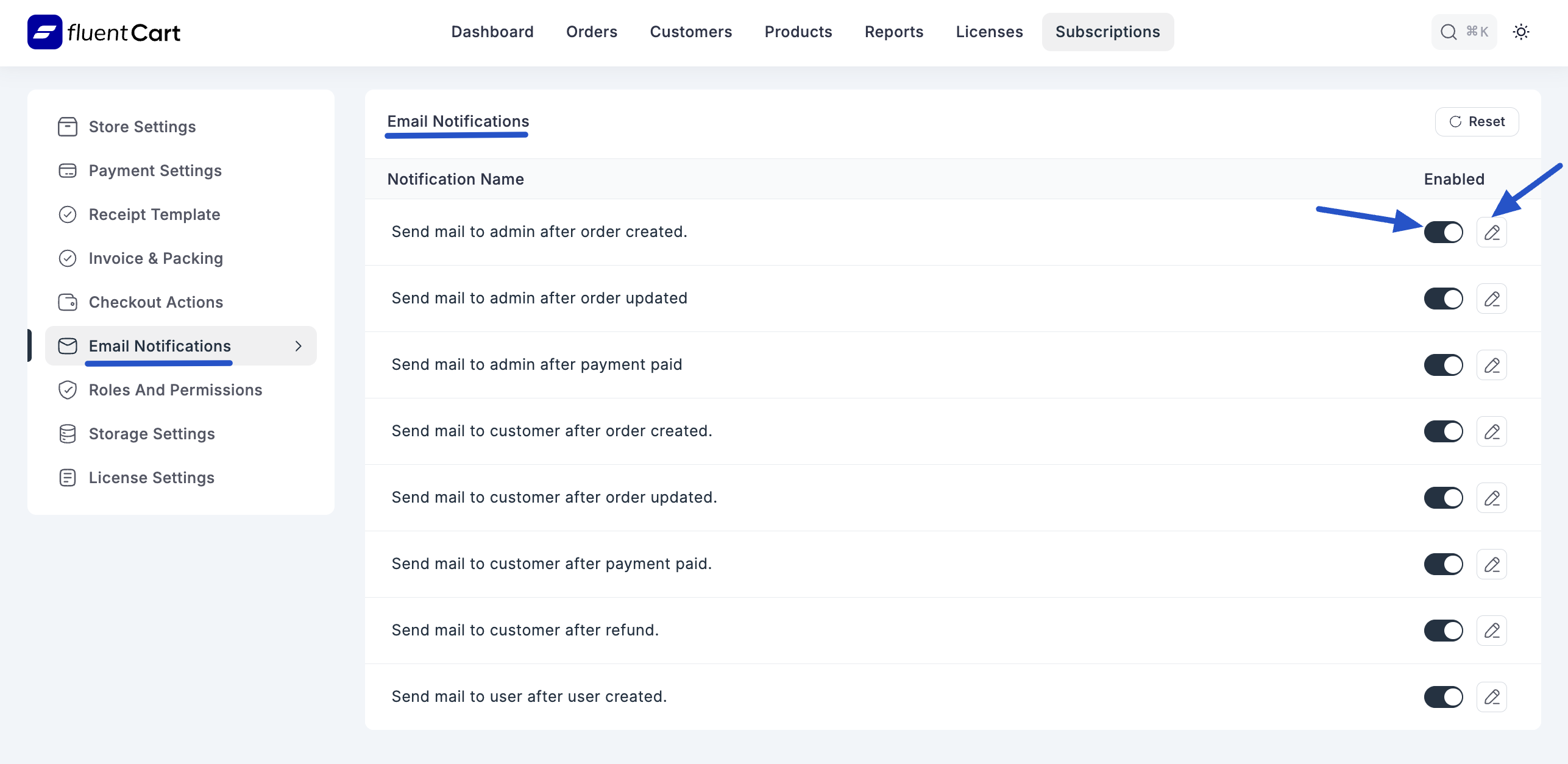
The main table on this display lists all available email notifications, categorized by their purpose and recipient.
1. Notification List Table
- Notification Name: A clear title describing the purpose of the email (e.g., "Send mail to admin after order created.", "Send mail to customer after refund.").
- Enable Column: This column contains a toggle button for each notification. You can easily enable or disable individual email notifications as needed.
- Edit Column: Clicking the "Edit" link or icon for a specific notification will open a detailed editor, allowing you to customize the content of that email.
2. Available Notifications
FluentCart provides notifications for various critical events, sent to either the administrator or the customer:
- Admin Notifications:
- Send mail to admin after order created.
- Send mail to admin after order updated.
- Send mail to admin after payment paid.
- Customer Notifications:
- Send mail to customer after order created.
- Send mail to customer after order updated.
- Send mail to customer after payment paid.
- Send mail to customer after refund.
- User Notifications:
- Send mail to user after user created.
3. Reset Option
- A "Reset" button is available, which allows you to revert all email notification settings to their default configurations. Use this with caution as it will undo any custom changes you've made.
By effectively managing these email notifications, you can enhance customer communication and ensure your team is always aware of important store events.